Vyrex HQ

AMVR Facial Interface for Quest 3: What to Know Before You Buy

By Vyrex HQ | November 25, 2025

A simple breakdown of what this facial interface does, how it works, and who it is for.

Share this post

Our Philosophy

Before upgrading any comfort accessory for your VR headset, it helps to know what kind of experience you’re getting into. This breakdown covers how the AMVR Facial Interface works, what it focuses on, and the type of VR user it suits best so you can decide if it’s the right fit for you.

Inside the Product

Who the AMVR Facial Interface Is For

The AMVR facial interface is designed for Quest 3 players who want a more comfortable, hygienic, and glasses-friendly alternative to the stock interface. It helps reduce pressure points, improve long-session comfort, and give users more control over how their headset fits and feels.

Quest 3 players who want better comfort
The stock facial interface can feel firm around the nose and cheekbones, especially during long sessions. The AMVR interface adds softer padding and better pressure distribution, making it easier to play for two to four hours or more without discomfort.

Users who wear glasses in VR
The AMVR design provides extra space, deeper padding options, and gentler cutouts that help prevent frames from pressing into your face or bumping the Quest 3 lenses. This makes VR more comfortable and reduces the risk of scratching your lenses.

Players who want better hygiene
The wipeable PU leather padding is easier to clean than fabric foam. This is helpful if you sweat a lot, share your headset with others, or want a simple way to maintain cleanliness after workouts or long sessions.

When it makes the most sense
• Long VR sessions where comfort becomes a priority.
• Wanting finer control over eye relief and distance from the lenses.
• Reducing fogging, pressure points, or glasses contact.

When it might not be ideal
If you already find the stock Quest 3 interface comfortable and have no issues with light leak, lens fog, or pressure points, the improvement may feel small. Some users also experience slight light leakage depending on face shape, so it may not be perfect for every fit.

Summary
These points help you understand who the AMVR interface is best suited for. With that in mind, the next section breaks down what it can do and the types of improvements you can expect when using it.

What It Can Do

Now that you know who the AMVR facial interface is designed for, here is what it can actually do and how it improves the way the Quest 3 feels during everyday use.

Comfort and fit
The AMVR interface reduces pressure around the nose, cheeks, and forehead by replacing the firm stock foam with softer, thicker padding.
• PU leather or ice silk pads support longer sessions without hotspots.
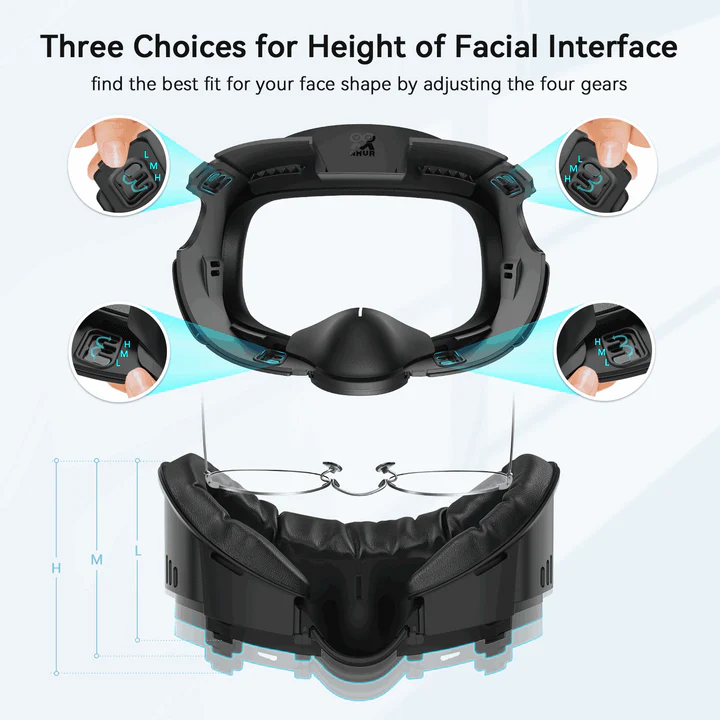
• Depth adjustment lets you bring your eyes closer for a wider field of view or push the headset forward for glasses clearance.

Hygiene and cleaning
The wipeable surface is easier to maintain than traditional fabric foam.
• Sweat and skin oils can be cleaned off quickly with a simple cloth.
• The interface protects the headset shell and lens area from moisture and grime over time.

Visual experience
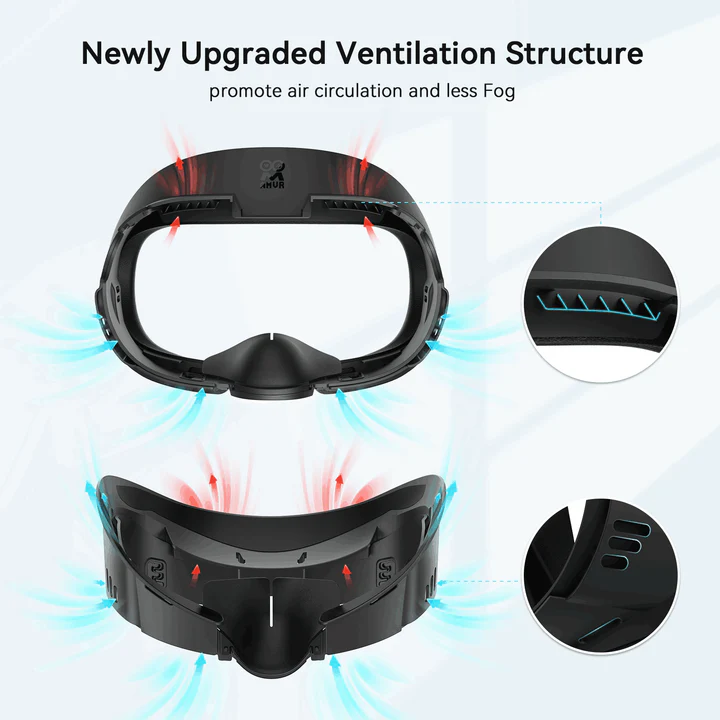
Designed to improve airflow and reduce fogging, the interface helps keep visuals clearer during active play.
• Ventilation channels allow warm air to escape.
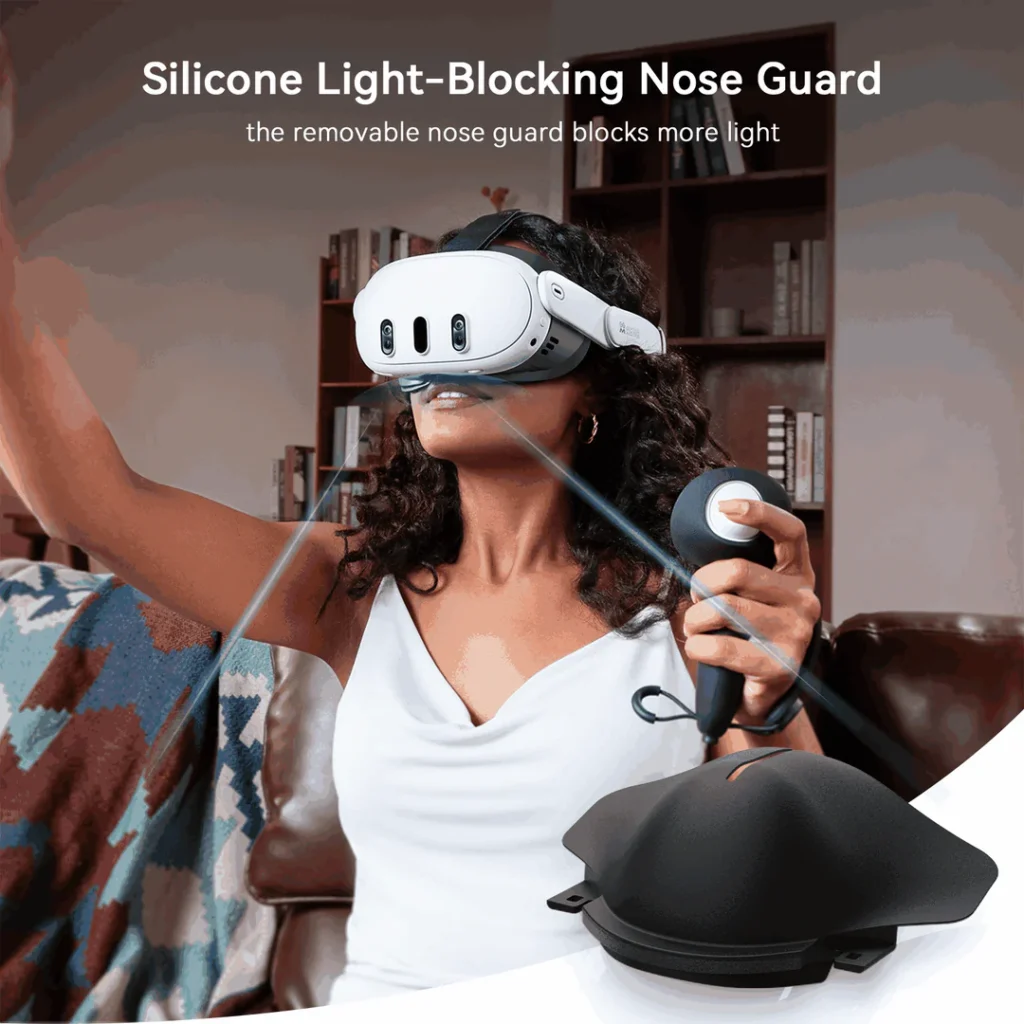
• A built-in nose blocker or improved flap reduces bottom light leak for more immersive dark scenes.

Adjustability and customization
The included pads let you choose a fit that matches your comfort and visual preference.
• Thicker pads for comfort and reduced pressure.
• Thinner pads for maximum field of view.
• Added spacing for glasses users to keep frames from rubbing the lenses.

Summary
These details highlight how the AMVR interface can change the way your Quest 3 feels during play. The next section walks through what that experience is actually like.

AMVR Facial Interface Review and Unboxing

What You Can Expect When Using It

Now that you know what the AMVR facial interface can do, the next step is understanding how those changes feel during everyday use. This section focuses on what you can expect once it is installed on your Quest 3.

Comfort and session length
The padding spreads pressure more evenly across your forehead and cheeks, making the headset feel softer and less sharp than the stock foam. This usually helps during one to two hour sessions or longer.
• Better weight distribution helps the headset stay stable during movement.
• Active games and fitness apps feel less tiring because the face seal is more comfortable.

Heat, sweat, and cleanliness
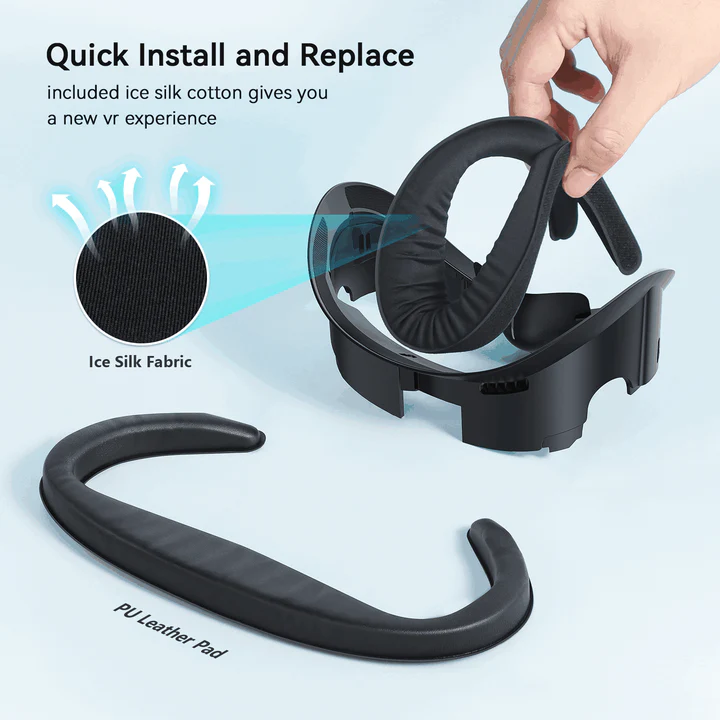
The wipeable PU leather and ice silk-style pads make the interface easier to clean after workouts or intense sessions.
• Sweat does not soak into the material, so it stays more hygienic.
• Ideal for Beat Saber, boxing apps, or when sharing the headset.

Visual clarity and immersion
Depth adjustment helps you position your eyes at a distance that feels clear and comfortable.
• Moving closer can slightly widen the field of view.
• Moving farther protects glasses and reduces fogging.
• Improved nose blocking reduces bottom light leak, making dark scenes feel more immersive.

Fit and trade-offs
If the interface matches your face shape well, you can expect less cheek pressure, fewer forehead marks, and a generally more comfortable fit.
• Some users may still experience light leak or pressure points depending on face shape.
• The first installation takes a few minutes, and you may need to test different pads or depth settings to find the ideal balance between comfort and field of view.

Overall experience
These points give you a clear sense of how the AMVR interface affects comfort, stability, and clarity during real play. With that in mind, the next section covers what makes it unique compared to other facial interfaces.

What Makes It Unique

After understanding what the AMVR facial interface feels like in regular use, it helps to look at the features that set it apart from the stock Quest 3 interface and other third-party options. These details show why some players prefer AMVR over simpler foam replacements.

Adjustable eye-to-lens distance
AMVR focuses strongly on depth adjustment so you can fine-tune how close your eyes sit to the lenses.
• Most versions offer three depth levels or side-dial adjustments for quick changes.
• Moving closer increases the field of view.
• Moving farther protects glasses and reduces fogging.
• Some models let you adjust top and bottom distance independently, allowing pressure relief in ways most interfaces cannot.

Dual-pad comfort system
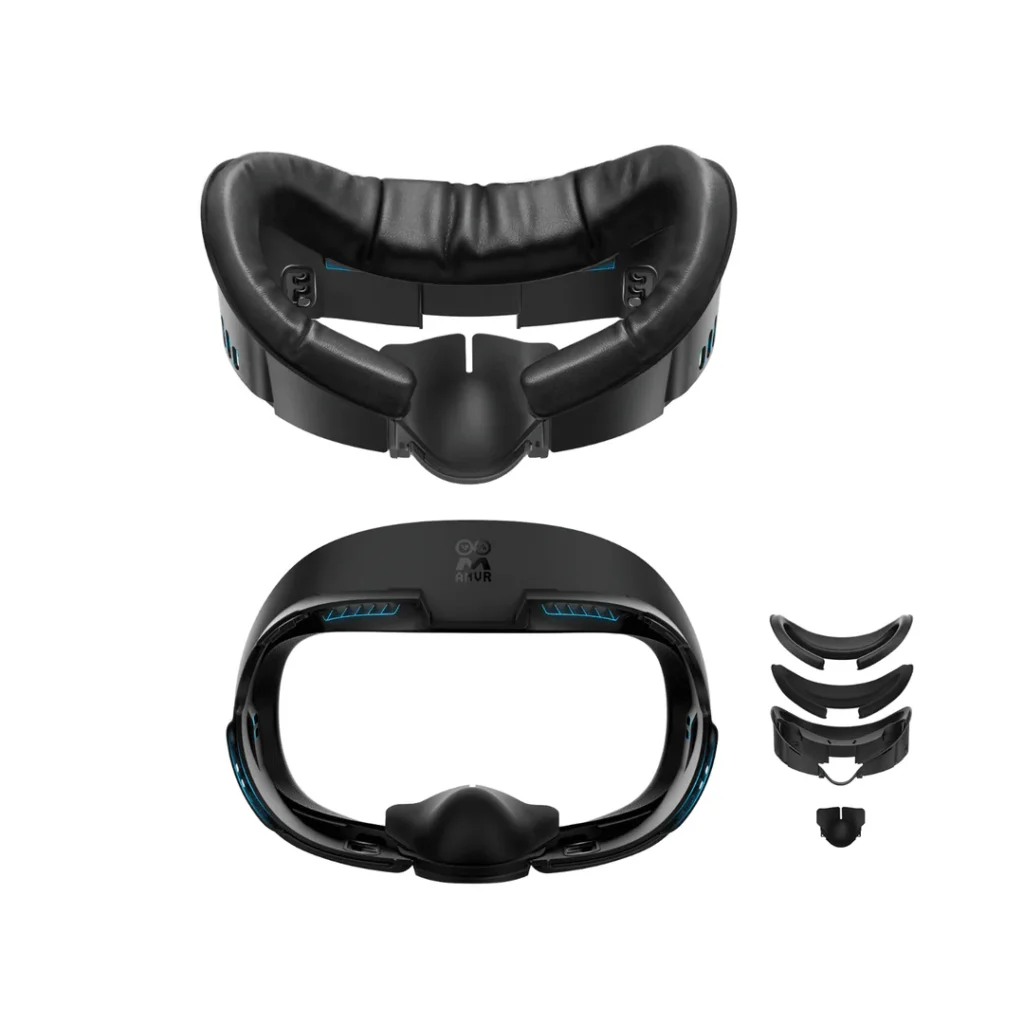
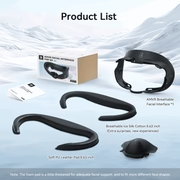
AMVR typically includes two pad styles in the box, giving players more control over comfort and cooling.
• PU leather pads for easy cleaning and sweat resistance.
• Ice silk or cooling-gel pads for breathability during longer, active sessions.
• Thicker padding and a wider contact area distribute pressure more evenly across the face.

Venting and light control
The frame is designed to improve airflow and reduce light leakage at the same time.
• Built-in ventilation channels help heat escape and limit fogging.
• A nose blocker cuts down on bottom light leak for darker scenes.
• Newer versions deepen the vents and extend the upper frame for better immersion without trapping excess heat.

Glasses- and mod-friendly design
AMVR’s spacing and adjustability make it one of the more glasses-friendly options available.
• Extra room helps prevent glasses from touching the Quest 3 lenses.
• Depth adjustment reduces the need for separate spacers.
• Many users treat it as their final comfort setup with no additional mods needed.

Summary
These features show why the AMVR interface can make a meaningful difference in comfort and fit, setting the stage for how comfort influences the overall VR experience.
How Comfort Shapes Your VR Experience

Comfort plays a huge role in how often you use your headset and how long you stay immersed. Small upgrades like better padding, cleaner materials, and adjustable fit can make VR feel more natural and enjoyable, especially during longer sessions. Accessories like the AMVR Facial Interface help remove distractions so you can stay focused on what you’re doing, whether that’s gaming, fitness, exploration, or creativity.

A Closer Look at This Comfort Upgrade

What People Are Saying

Very comfortable, doesn’t let any light in and does not fog up my lenses. I do like that it comes with 2 options for the face pad, and the fact that you can adjust the distance is great too for people like me who are a bit sensitive to light! – Romeon

this was a gift for my grandson, he says it’s much more comfortable than the one that came with his VR game. It is also better at blocking out the light in the room with the included nose guard. installation is easy, and it can be adjusted to where my glasses can be worn with the headset when he talks me into playing it with him. over all a win win! – B. Smith

Why did you pick this product vs others?:
This is without a doubt the best interface for the quest 3 and I’ve tried the kiwi and the silicone meta. This is the one that should have came with the headset. Don’t listen to negative reviews. Buy this one! – Scotty Kerr

Things to Keep in Mind

1. Comfort and Fit Variability
Some users report discomfort, especially around the cheeks or nose. Fit depends heavily on face shape, and adjustments help some players more than others.

2. Light Leakage
A portion of users notice light bleed around the vents or nose gap. This can break immersion during bright scenes or high-contrast games.

3. Setup and Adjustment Complexity
The depth dials have no clear indicators, making it difficult to match both sides evenly. Getting a symmetrical fit can take extra trial and error.

4. Nose Blocker Usability
Some players find the silicone nose piece difficult to reattach or keep in place. Others say it feels awkward once installed.

5. Material and Finish
The glossy interior surface can reflect light, which some users find distracting. Those who prefer a matte finish may not like the current material choice.

6. Headstrap Compatibility
The wide top bar can conflict with certain third-party headstraps, making it harder for some users to achieve a stable or comfortable fit.

7. Sweat and Cushion Maintenance
The fabric cushions can absorb sweat and become dirty over time. Some users dislike the texture or note that it can leave marks on the skin after long sessions.

8. How to Use This Information
If you need a highly adjustable fit, minimal light leakage, or materials that stay cool and dry, these points may be helpful. Checking recent reviews can show how comfort, fit, and strap compatibility vary across different face shapes and setups.

Deciding If the AMVR Facial Interface Is Right for You

The AMVR Facial Interface is a good fit for Quest 3 users who want better comfort, cooling, and cleanliness during VR sessions. If you play long hours, use fitness apps, share your headset, or wear glasses, this upgrade can make everyday use feel noticeably softer and more stable. It also works well for players who want flexibility, since it includes two different pads that can be swapped depending on your playstyle.

Thank you for taking the time to check out this comfort upgrade and for being part of the Vyrex HQ community. Your curiosity and interest in improving your setup mean a lot, and I hope this overview helped you understand what the AMVR interface can add to your VR experience.

Where to Get the AMVR Facial Interface

The AMVR Facial Interface is available on Amazon and on the official AMVR website. You can visit either page to view the different variants, pad options, and bundles available for the Quest 3.

Check Out Other Gear

If you enjoyed learning about the AMVR Facial Interface, explore more VR gear that can help improve comfort, clarity, and overall gameplay. Each piece brings something different, depending on your setup and habits.

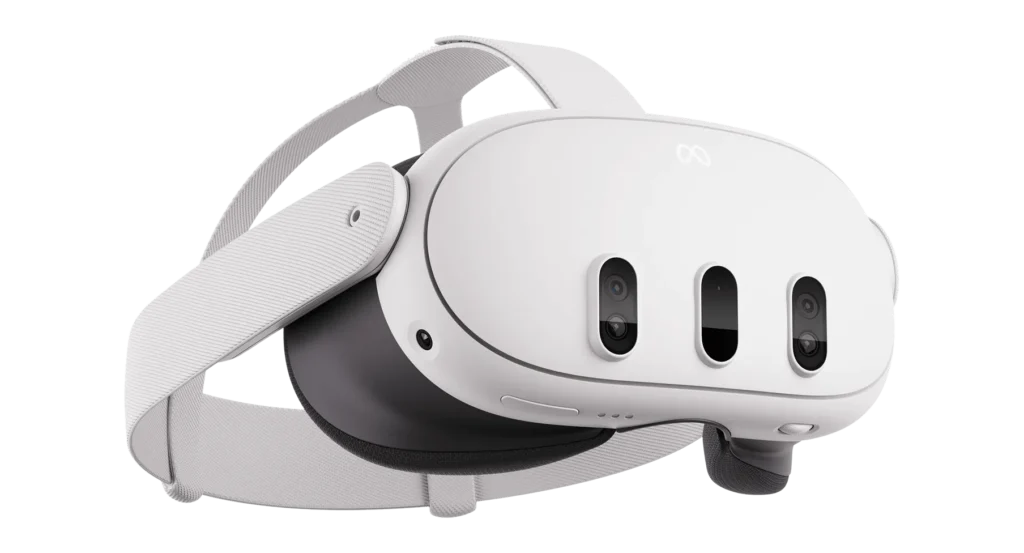
meta quest 3: what to know before you buy

Meta Quest 3: What to Know Before You Buy

Meta Quest 3: What to Know Before You Buy By Vyrex HQ ...

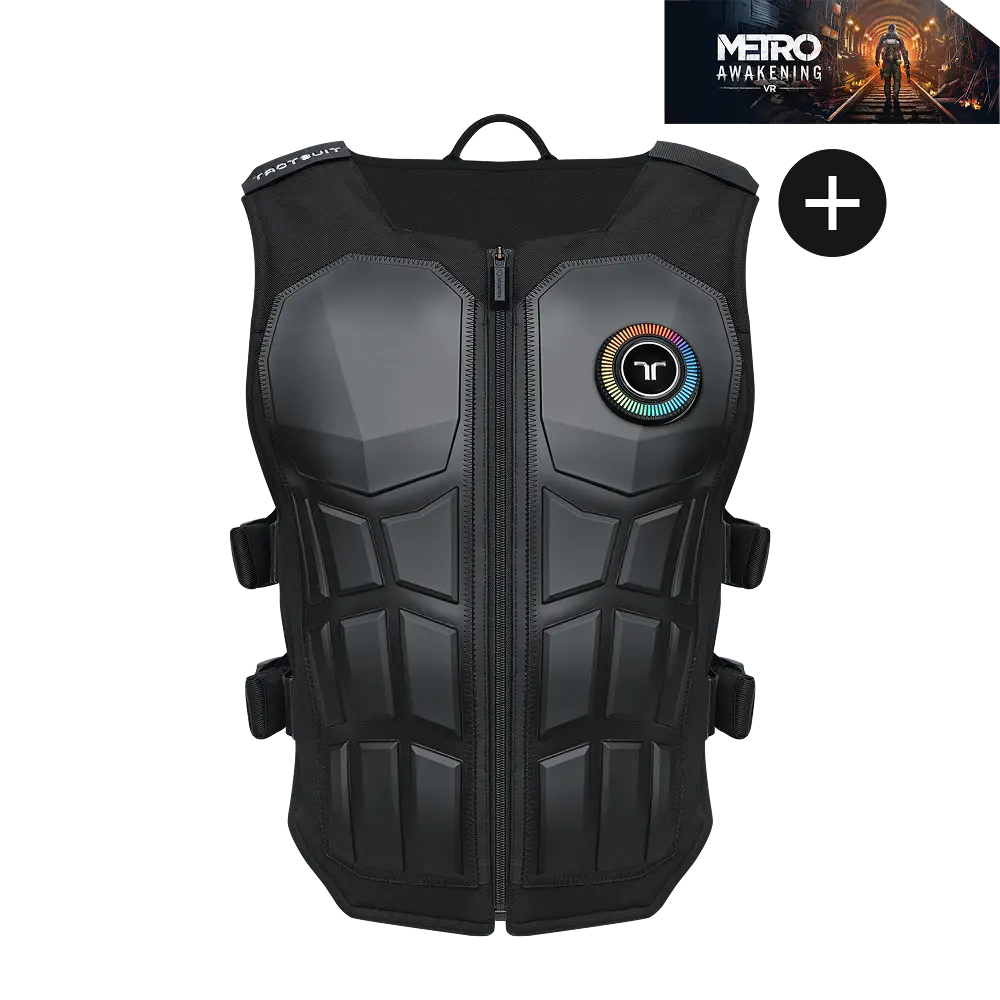
bHaptics TactSuit Pro: What to Know Before You Buy

bHaptics TactSuit Pro: What to Know Before You Buy By Vyrex HQ ...
3Daptive Modus 4 VR Gunstock: What to Know Before You Buy

3Daptive Modus 4 VR Gunstock: What to Know Before You Buy

3Daptive Modus 4 VR Gunstock: What to Know Before You Buy By ...

Share this post

Feel Free to Share Your Thoughts

All comments are moderated. Please keep discussions respectful and on-topic. Offensive, promotional, or spam content may be removed.

Subscribe
Notify of
guest
0 Comments
Oldest
Newest Most Voted
Inline Feedbacks
View all comments
0
Would love your thoughts, please comment.x
()
x